iRobot
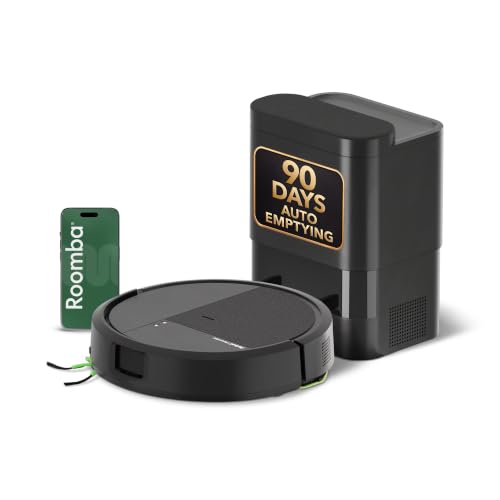
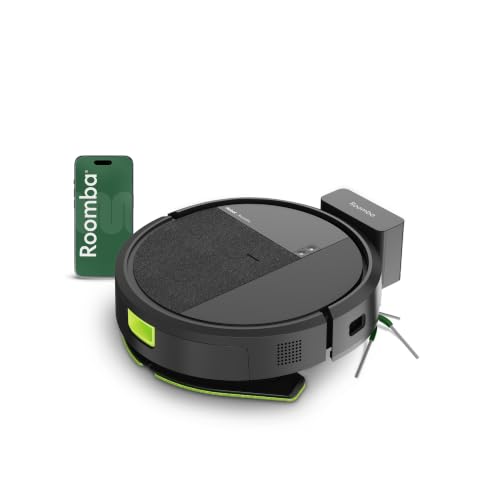
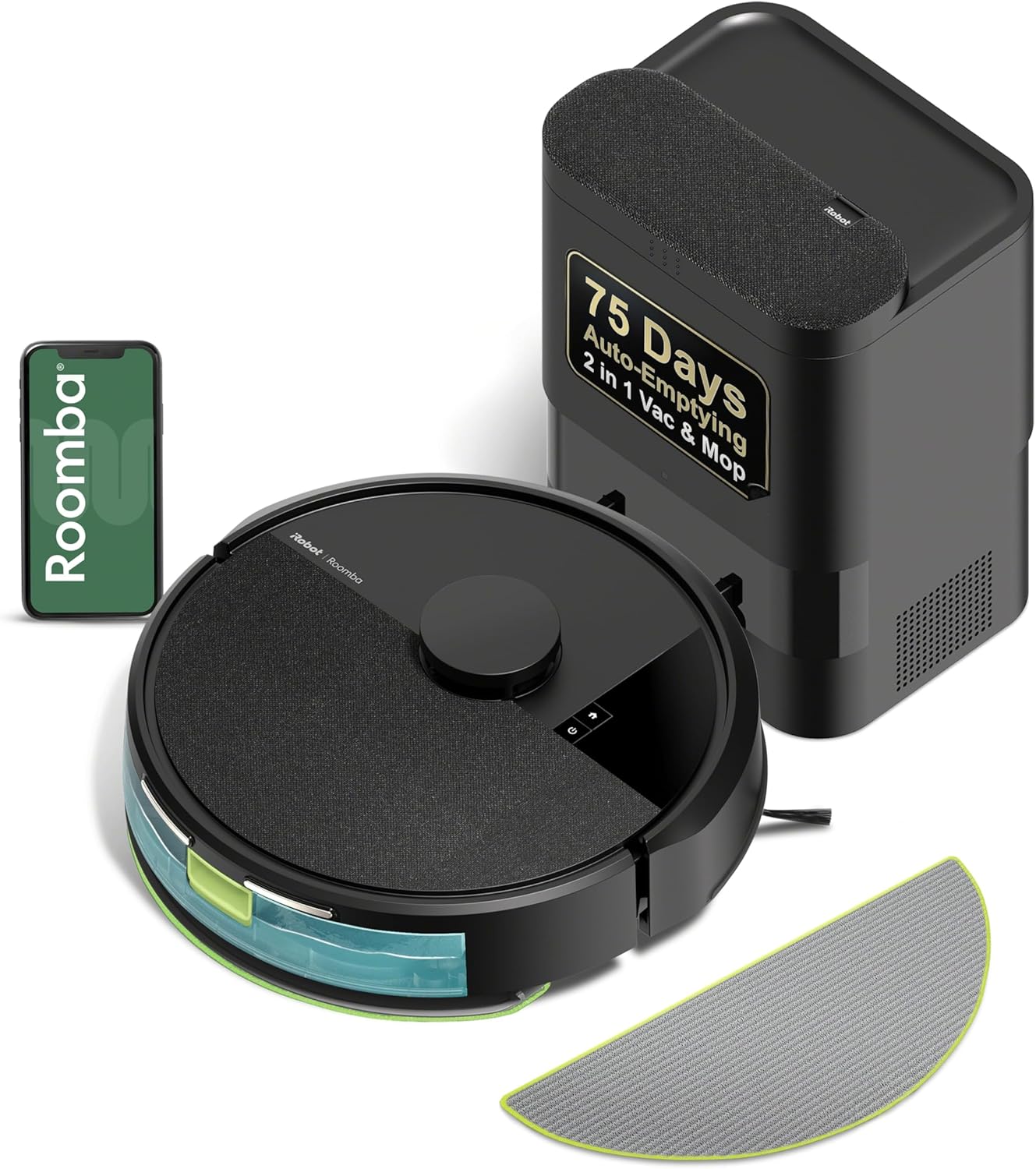
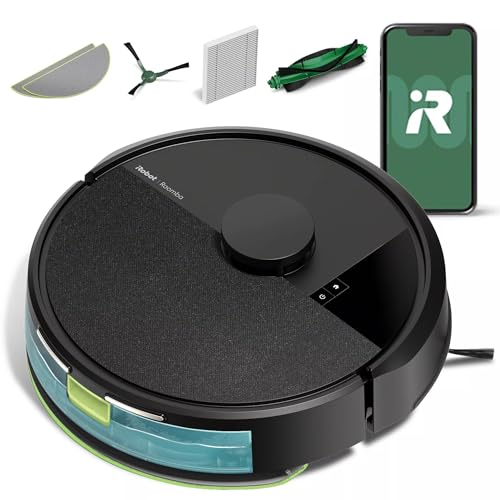
iRobot Roomba 105 Combo Robot Vacuum & Mop - Easy to use, Intense Power-Lifting Suction, LiDAR Navigation, Multiple Cleaning Modes, Avoids Mopping Carpets, Self-Charging
Disclosure: We may earn a commission when you buy through links on this page, at no extra cost to you. As an Amazon Associate I earn from qualifying purchases. Learn more
Highlights
- DEVOURS DIRT WITH 70X MORE POWER-LIFTING SUCTION*. 4-Stage Cleaning includes 70X more power-lifting suction*, a Multi-Surface brush, and Edge-Sweeping brush to devour dirt and dust bunnies, plus a microfiber mop pad to leave floors shiny and clean *As compared to Roomba 600 series robots
- SUPER-SMART MAPPING AND NAVIGATION. ClearView LiDAR quickly maps your home, avoids obstacles and cleans in neat rows, even in the dark.
- RUGS STAY DRY WHILE MOPPING. Unlike other cleaning robots, the Roomba 105 Combo Robot automatically detects and avoids carpets while mopping so your rugs stay dry – no complex programming required.
- FULLY CUSTOM & TARGETED CLEANING. Choose from settings including vac only, mop only, or combo vac-mop, Schedule and target rooms based on your daily routine and adjust the number of cleaning passes, levels of suction power, and amount of mopping solution pumped onto the microfiber mopping pad.
- EASY-TO-USE ROOMBA HOME APP. Simply tap to set a custom clean, get time estimates, check on the filter life, or create keep-out zones to avoid specific areas.
- 2X DEEPER SCRUBBING. Leave floors beautifully cleaned thanks to the built-in mop with a micro-pump controlling water flow and keeping the mopping pad uniformly moist during cleaning- Use water or a compatible cleaning solution*, and choose SmartScrub for 2x deeper scrubbing**
- EASY WAYS TO CONTROL. Conveniently control your Roomba robot by speaking to your preferred voice assistant-enabled* devices, tapping the app, or pressing the robot's buttons. *Works with Alexa, Siri, and Google Assistant-enabled devices
- BLENDS IN BEAUTIFULLY. The Roomba 105 Combo robot's sleek look is inspired by modern design with beautiful finishes and textures that blend easily with home décor.
- WIFI READY. Uses a 2.4 GHz network for setup and operation. After setup, your robot will stay on 2.4GHz for operation and your phone can return to 5GHz.
Why You'll Love It
- Combines strong suction, multi-surface brushing, edge cleaning and mopping in one cleaning routine
- LiDAR navigation maps rooms and guides the robot in organized cleaning rows, including in darkness
- Automatically recognizes carpets during mopping and avoids them to help keep rugs dry
- Customize room schedules, suction levels, cleaning passes and water delivery through the Roomba Home app
- Choose SmartScrub for deeper mopping and control water flow through the built-in micro-pump
- Start cleaning through the app, robot buttons or compatible Alexa, Siri and Google Assistant devices
Pros
- +Vacuuming and mopping in one robot
- +LiDAR mapping and organized navigation
- +Automatic carpet avoidance while mopping
- +Custom room schedules and cleaning settings
- +Multiple convenient control methods
Cons
- -Requires a 2.4 GHz Wi-Fi network
- -Carpet avoidance is specifically tied to mopping
Detailed Review
The iRobot Roomba 105 Combo robot vacuum and mop is designed for households that want routine floor cleaning handled by one automated device rather than separate vacuuming and mopping sessions. Its main appeal is the combination of strong suction, multiple brushes and a powered microfiber mop, supported by LiDAR navigation and customizable cleaning settings. It can vacuum, mop or perform both jobs together, giving households flexibility over how they approach different rooms and cleaning routines. For someone who wants scheduled floor maintenance with the option to target particular areas, this combination is worth considering.
Navigation is a particularly important part of its design. ClearView LiDAR maps the home, helps the robot avoid obstacles and directs it through rooms in neat rows, including when the lights are off. This organized approach gives the robot a defined cleaning route rather than relying on random movement. The app also lets owners create keep-out zones, which can be useful for excluding particular areas from a cleaning routine. Room targeting and scheduling add another layer of control, allowing cleaning plans to reflect the household's daily activities.
The cleaning system combines a multi-surface brush, an edge-sweeping brush and suction advertised as 70 times greater than the Roomba 600 series comparison model. A microfiber mop pad handles the wet-cleaning side. Its built-in micro-pump controls water delivery and keeps the pad uniformly moist during cleaning. Owners can choose between vacuum-only, mop-only and combined cleaning, adjust suction and the number of passes, and select SmartScrub for twice-deeper scrubbing. Water or a compatible cleaning solution can be used, giving the mopping function some flexibility.
Carpet management is another useful feature. The robot automatically detects and avoids carpets while mopping, helping prevent rugs from getting wet without requiring complicated programming. The Roomba Home app brings scheduling, room selection, cleaning customization, time estimates and filter-life checks together. Physical buttons and compatible voice assistants provide additional ways to start or control cleaning. Its modern finish and textured design are intended to blend into home decor, while self-charging supports its automated cleaning routine.
The main trade-off is that this is a connected combination appliance rather than a completely independent cleaning solution. Setup and operation use a 2.4 GHz Wi-Fi network, and getting the most from its customization requires making choices about rooms, suction, cleaning passes and mopping settings. Its carpet-avoidance feature is specifically designed for mopping, so shoppers should understand that distinction. The microfiber pad and cleaning solution options also make the mopping function part of the ownership routine rather than simply another vacuuming setting.
Verdict: This robot vacuum and mop is a strong candidate for households that want automated vacuuming, scheduled room cleaning and occasional mopping in one device. Its LiDAR mapping, adjustable cleaning settings and automatic carpet avoidance make it particularly appealing to shoppers who value control over their floor-cleaning routine. Consider a different type of cleaning appliance if you do not want a Wi-Fi-dependent setup or prefer to manage vacuuming and mopping separately.
Who Should Buy It
A great fit if you:
- Want one automated appliance to handle regular vacuuming and mopping instead of managing two separate cleaning routines.
- Have several rooms and prefer to schedule or target cleaning around your household's daily activities.
- Have rugs alongside other floor areas and want automatic carpet avoidance during the robot's mopping sessions.
- Prefer controlling cleaning through an app, voice assistant or physical buttons depending on the situation.
- Value adjustable suction, cleaning passes and mopping settings rather than relying on one fixed cleaning routine.
Consider something else if you:
- Need a cleaning appliance that operates without a 2.4 GHz Wi-Fi connection, such as a non-connected manual vacuum.
- Prefer separate dedicated appliances for vacuuming and mopping, such as a standalone vacuum and a separate mop.
Before You Buy
Confirm on the listing:
- Check the robot's dimensions and compare them with the available space in your home, including the areas where you want it to clean.
- Confirm that your home network supports 2.4 GHz Wi-Fi, since the robot uses this frequency for setup and operation.
- Review exactly which accessories and supplies are included, particularly the microfiber mop pad and any cleaning solution.
- Check which cleaning solutions are compatible and review the recommended care instructions for the brushes, filter and mop pad.
How to compare your options: Focus on navigation, cleaning flexibility, carpet management and the level of control offered through the companion app. This model brings together LiDAR mapping, three cleaning modes, adjustable suction and mopping settings, and automatic carpet avoidance during mopping. Consider which of those functions would genuinely improve your household routine. If room scheduling matters most, pay attention to room targeting and app controls. If you want combined floor care, consider how useful the vacuum-and-mop mode and SmartScrub option would be for your cleaning preferences.
Getting the Most From It
Start by setting up the robot with a compatible 2.4 GHz Wi-Fi network and exploring the Roomba Home app. Use its mapping and room-targeting functions to organize cleaning around the areas you want maintained. You can also create keep-out zones for places the robot should avoid.
Choose the cleaning mode according to the job. Vacuum-only, mop-only and combined vacuum-and-mop settings let you adapt the routine to different needs. Adjust suction, cleaning passes and the amount of mopping solution delivered to the pad rather than treating every room as requiring identical settings.
For mopping, take advantage of automatic carpet avoidance and consider SmartScrub when you want the deeper scrubbing setting. Use water or a compatible cleaning solution, following the product instructions for the appropriate choice.
Make the app's filter-life information part of your regular care routine. Check the brushes and microfiber mop pad according to the manufacturer's care guidance, and review your schedules periodically as household routines change. Voice commands and the robot's physical buttons provide alternatives when you do not want to use the app.
FAQ
Does the Roomba 105 Combo vacuum and mop at the same time?
Yes, it offers a combined vacuum-and-mop mode alongside separate vacuum-only and mop-only modes. You can choose the approach that suits the room and cleaning routine.
Does it avoid carpets when mopping?
Yes, it automatically detects and avoids carpets during mopping to help keep rugs dry. The feature is designed to work without complicated programming.
Does it work with Alexa, Siri and Google Assistant?
Yes, it supports Alexa, Siri and Google Assistant-enabled devices. You can also control it through the Roomba Home app or the robot's physical buttons.
What Wi-Fi does the Roomba 105 Combo require?
It uses a 2.4 GHz Wi-Fi network for setup and operation. After setup, your phone can return to a 5 GHz network while the robot continues operating on 2.4 GHz.
Can I use cleaning solution instead of water?
Yes, the built-in micro-pump supports water or a compatible cleaning solution and controls delivery to the microfiber mop pad. Check the product instructions for which cleaning solutions are suitable before using one.
Product Details
| Brand | iRobot |
| ASIN | B0DWG2BB7X |