iRobot
iRobot Roomba 105 Vac Robot Vacuum with AutoEmpty Dock - Self-Empties for 75 Days, Easy to use, Intense Power-Lifting Suction, LiDAR Navigation, Multi-Surface Cleaning, Cleans in Neat Rows
Disclosure: We may earn a commission when you buy through links on this page, at no extra cost to you. As an Amazon Associate I earn from qualifying purchases. Learn more
Highlights
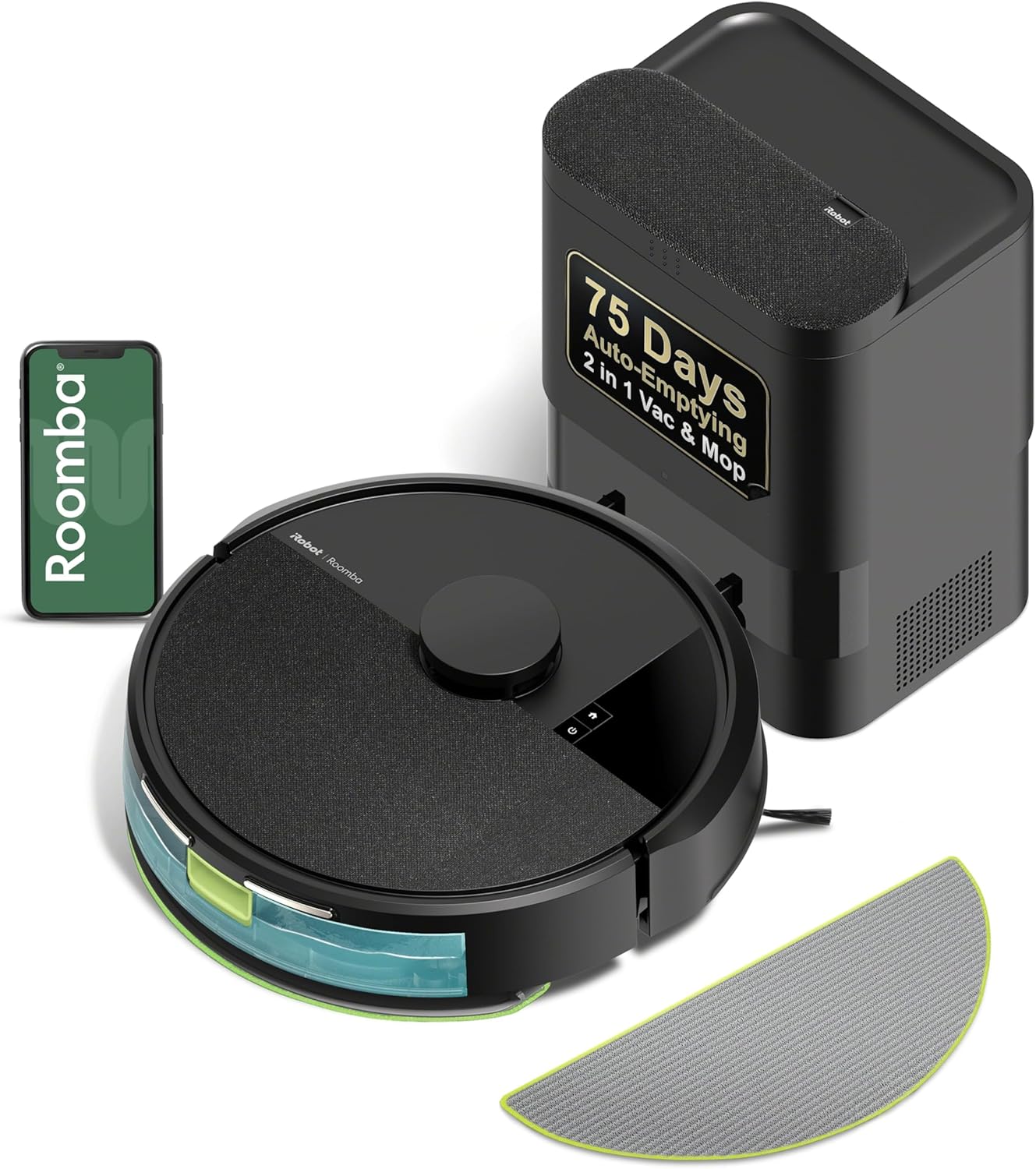
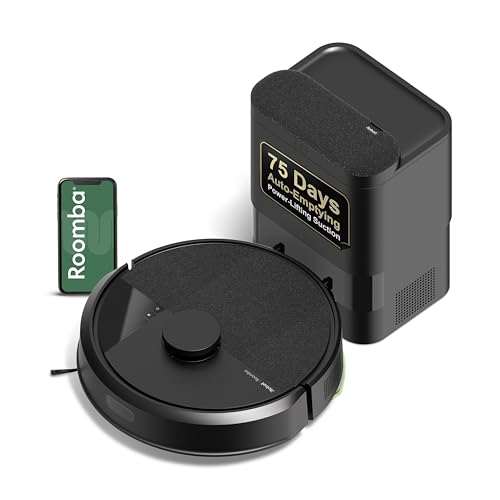
- UP TO 75 DAYS HANDS-FREE CLEANING. Dirt and dust stay gone because it empties into the AutoEmpty dock with a bag that traps 99% of allergens as small as 0.7 microns- That means no mess or cloud of dust when you empty it- Just drop the used bag into the trash and put a new one in the base.
- DEVOURS DIRT WITH 70X MORE POWER-LIFTING SUCTION. 3-Stage Cleaning includes 70X more power-lifting suction*, a Multi-Surface brush, and Edge-Sweeping brush to devour dirt and dust bunnies and leave floors barefoot clean *As compared to Roomba 600 series robots
- SUPER-SMART MAPPING AND NAVIGATION. ClearView LiDAR quickly maps your home to maximize coverage and provide a precise clean while steering smoothly around obstacles and specialized sensors prevent falling down stairs.
- FULLY CUSTOM & TARGETED CLEANING. Schedule and target rooms based on your daily routine and adjust the number of cleaning passes and levels of suction power.
- EASY-TO-USE ROOMBA HOME APP. Simply tap to set a custom clean, get time estimates, check on the filter life, or create keep-out zones to avoid specific areas.
- EXTRA DIRT, SPOT CLEANING IS ON IT. Easily target the places where your floors need extra attention- With spot cleaning, your robot repeatedly cleans in one area for up to 5 minutes.
- 3 EASY WAYS TO CONTROL. Conveniently control your Roomba robot by speaking to your preferred voice assistant-enabled* devices, tapping the app, or pressing the robot's buttons. *Works with Alexa, Siri, and Google Assistant-enabled devices
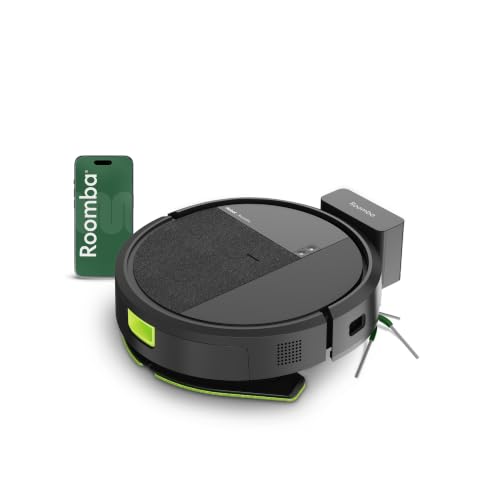
- BLENDS IN BEAUTIFULLY. The Roomba 105 Vac Robot + AutoEmpty dock's sleek look is inspired by modern design with beautiful finishes and textures that blend easily with home décor.
- WIFI READY. Uses a 2.4 GHz network for setup and operation. After setup, your robot will stay on 2.4GHz for operation and your phone can return to 5GHz.
Why You'll Love It
- The AutoEmpty dock handles dirt disposal for up to 75 days with less hands on upkeep
- 70X more power lifting suction than Roomba 600 series models helps tackle everyday dirt and dust
- LiDAR mapping creates organized cleaning paths while sensors help the robot avoid falling down stairs
- Room targeting, adjustable passes, suction levels, and keep out zones make cleaning more customizable
- The app, robot buttons, and compatible voice assistants give you three ways to start cleaning
Pros
- +AutoEmpty dock
- +LiDAR navigation
- +Custom room cleaning
- +Multiple control options
- +Multi surface cleaning
Cons
- -Requires a 2.4 GHz WiFi network
- -Uses replacement bags in the dock
Detailed Review
iRobot Roomba 105 Vac Robot Vacuum fits buyers who want routine floor cleaning with less attention to emptying the robot itself. Its main convenience is the AutoEmpty dock, which collects dirt into a bag for up to 75 days of hands free cleaning. That makes this a practical choice for someone who wants scheduled cleaning to become a regular household task rather than something that needs frequent manual attention.
Cleaning is built around a three stage system with power lifting suction, a multi surface brush, and an edge sweeping brush. The listed suction claim is 70X more power lifting suction compared with Roomba 600 series robots, while the brush setup is designed to address dirt, dust, and debris along floor edges as well as across surfaces. For everyday use, that combination gives you several cleaning actions working together instead of relying on suction alone.
Navigation is another important part of the design. ClearView LiDAR maps the home to support coverage and organized cleaning, while specialized sensors help prevent falls down stairs. The robot is also designed to clean in neat rows, and the Roomba Home app lets you schedule rooms, create keep out zones, request custom cleaning, check filter life, and adjust cleaning preferences. Spot cleaning can repeatedly focus on one area for up to five minutes when a particular section needs extra attention.
There are a few practical trade offs to consider. The dock uses a bag that you replace when full, so hands free dirt disposal still involves keeping replacement bags available and changing the used one. Setup and operation also rely on a 2.4 GHz WiFi network, although your phone can return to a 5 GHz network after setup. The product offers several controls, including the app, robot buttons, and compatible voice assistant enabled devices, which is useful if different household members prefer different ways to start a cleaning session.
Verdict: Choose this robot vacuum if you want automated floor cleaning, organized LiDAR navigation, customizable room targeting, and an AutoEmpty dock. Consider another option if your priorities center on a different control method, network setup, or dirt disposal approach.
Who Should Buy It
A great fit if you:
- Want routine floor cleaning without needing to empty the robot after every cleaning session.
- Prefer cleaning schedules and room targeting that can follow the way your household uses each space.
- Have different floor surfaces and want one robot with a multi surface brush system.
- Like organized cleaning paths and want LiDAR mapping to help guide coverage around your home.
Consider something else if you:
- Prefer a vacuum with a different dirt disposal setup, such as a manually emptied model.
- Need a cleaning device that does not depend on a 2.4 GHz WiFi network for setup and operation.
Before You Buy
Confirm on the listing:
- Measure the areas where you expect the robot and AutoEmpty dock to sit, and check that the available space suits the listed configuration.
- Check whether your home network supports the required 2.4 GHz connection for setup and operation.
- Review exactly what is included in the box, especially the dock, bag, and any other accessories listed with the purchase.
- Check the care instructions for the robot, filter, brushes, and AutoEmpty dock before committing to a routine.
How to compare your options: Focus on the cleaning system, navigation, dirt disposal, customization, and controls that matter most for your routine. This model combines three stage cleaning, LiDAR mapping, an AutoEmpty dock, room scheduling, adjustable passes and suction, and several control methods, so compare those functions against the way you expect to use a robot vacuum.
Getting the Most From It
- During setup, connect it to the required 2.4 GHz network and use the app to establish your preferred cleaning routine.
- Use room scheduling when you want cleaning to match your daily routine, and create keep out zones for areas you want left alone.
- Adjust the number of cleaning passes and suction level according to the cleaning task, rather than using the same setting every time.
- Use spot cleaning when one area needs extra attention, and use the app to check filter life as part of regular upkeep.
- When the dock bag is ready to be replaced, follow the product instructions for removing the used bag and fitting a new one.
FAQ
How long can the AutoEmpty dock go before the bag needs changing?
It can provide up to 75 days of hands free cleaning before the bag needs to be replaced. The used bag goes into the trash, and a new bag is placed in the dock.
Does the Roomba 105 work with voice assistants?
Yes, it works with Alexa, Siri, and Google Assistant enabled devices. You can also control it through the Roomba Home app or the buttons on the robot.
Does it work on multiple floor surfaces?
Yes, it has a multi surface brush as part of its three stage cleaning system. An edge sweeping brush and power lifting suction are also included in the cleaning design.
Can I tell it to clean a specific room or area?
Yes, you can schedule and target rooms through the app, and you can use spot cleaning when one area needs extra attention. Keep out zones are also available for areas you want to avoid.
What WiFi does it need?
It uses a 2.4 GHz network for setup and operation. The listing does not state broader network compatibility, so check your network setup before buying if that matters to you.
Product Details
| Brand | iRobot |
| ASIN | B0DWG1K24K |