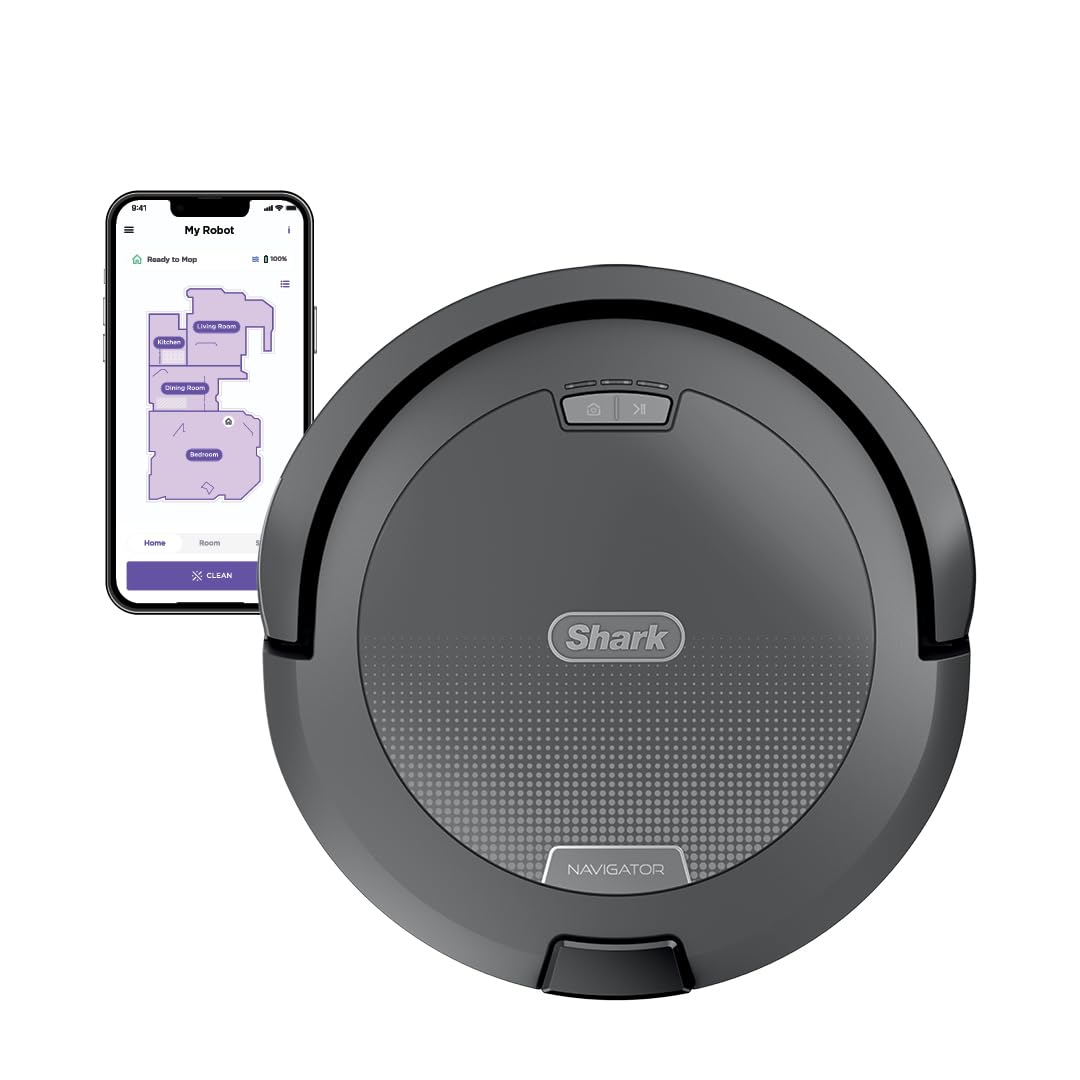
Shark Navigator Robot Vacuum, SmartPath Navigation, Steel Grey, RV2110
Disclosure: We may earn a commission when you buy through links on this page, at no extra cost to you. As an Amazon Associate I earn from qualifying purchases. Learn more
Highlights
- POWERFUL SHARK PERFORMANCE: Up to 50% more suction* and designed for carpets and hard floors. (*vs. competitor robot vacuum)
- UP TO 1.5X MORE COVERAGE*: SmartPath Navigation uses spot liDAR technology to precisely map your home and clean in a row by row pattern for maximum coverage compared to traditional robot vacuums (*vs. Shark ION)
- DETECTS & AVOIDS OBJECTS: No need to pick up before your robot cleans with the ability to detect and avoid objects in its path, adapting to everyday changes in your home.
- SELF CLEANING BRUSHROLL: Digs deep into carpets and directly engages hardwood floors pulling up debris, hair, and dirt from all surfaces in your home – engineered to pick up more hair and is anti-hair wrap.
- CONVENIENT HANDS-FREE CLEANING: Voice control activates cleaning the whole home, a room, or a spot through the app or using voice control. With recharge and resume, when low on battery, the robot will recharge and pickup cleaning where it left off.
Why You'll Love It
- LiDAR mapping guides orderly row-by-row cleaning for more systematic home coverage
- Object detection helps the robot navigate around everyday items without requiring a completely cleared floor
- Self-cleaning brushroll tackles dirt, debris and hair across carpets and hard floors
- Anti-hair-wrap brushroll design helps manage hair during routine floor cleaning
- Control whole-home, room-specific or spot cleaning through the app or voice commands
- Recharge and resume lets cleaning continue from where the robot stopped when its battery runs low
Pros
- +LiDAR-based home mapping
- +Row-by-row cleaning pattern
- +Object detection and avoidance
- +Carpet and hard-floor cleaning
- +Recharge and resume functionality
Cons
- -Cleaning pauses while the robot recharges
Detailed Review
This robot vacuum is designed for households that want a more organized approach to everyday floor cleaning without directing the machine through every room. Its main appeal is the combination of LiDAR-based mapping, object detection and a brushroll intended for both carpets and hard floors. Rather than relying on an apparently random cleaning pattern, it uses mapped navigation to work through the home in rows. That makes it worth considering for shoppers who want automated floor maintenance and the flexibility to start cleaning for the whole home, an individual room or a particular spot.
The SmartPath navigation system uses spot LiDAR technology to map the home and guide the robot through a row-by-row cleaning pattern. The seller describes this approach as providing up to 1.5 times more coverage compared with the Shark ION. For shoppers, the practical attraction is a more structured cleaning route rather than an approach that simply sends the robot around without an organized pattern. Object detection adds another useful layer. The robot can identify and avoid objects in its path, adapting to everyday changes in the home instead of requiring every item to be picked up before a cleaning session.
Floor versatility is another central part of its design. The self-cleaning brushroll is intended to work on carpets as well as directly engage hardwood floors, collecting dirt, debris and hair from both surfaces. Its anti-hair-wrap design is particularly relevant to households where hair regularly accumulates on the floor. The seller also claims up to 50 percent more suction compared with a competitor robot vacuum, although that comparison is seller-provided rather than a guarantee of results in every home. Together, the brushroll design and stated suction capability make this model worth considering for mixed-floor households that want one robot to handle several everyday cleaning needs.
Convenience comes from the combination of app and voice control. You can activate whole-home cleaning, choose a room or direct attention to a specific spot. Recharge and resume is another practical feature: when the battery runs low, the robot returns to recharge and then picks up cleaning where it left off. The trade-off is that a cleaning session can be interrupted by recharging, so it is not a completely uninterrupted process. Its navigation and control features also make it especially relevant to shoppers who want to use mapped cleaning and app or voice commands rather than simply operate a basic automated vacuum.
Verdict: The RV2110 robot vacuum is a sensible option for households with carpets and hard floors that value mapped cleaning, object avoidance and flexible controls. Consider it if you want automated routine cleaning with the ability to resume after recharging. Shoppers who need a different cleaning arrangement or cannot use the supported app and voice-control approach should compare alternatives before choosing.
Who Should Buy It
A great fit if you:
- Have a home with both carpet and hardwood floors and want one robot vacuum designed to clean across both surfaces.
- Prefer a mapped, row-by-row cleaning approach instead of relying on an unstructured route around your home.
- Regularly find hair and everyday debris on your floors and want a brushroll designed to manage hair wrap.
- Want to choose between whole-home, room-specific and spot cleaning through an app or voice commands.
- Prefer a robot that can resume its cleaning task after recharging rather than requiring every session to start again.
Consider something else if you:
- Need a vacuum that completes every cleaning session without pausing for battery recharging, making a continuous-cleaning alternative more suitable.
- Prefer a straightforward cleaning appliance without app-based or voice-command operation, making a simpler manually controlled alternative a better fit.
Before You Buy
Confirm on the listing:
- Check the robot's dimensions and measure the spaces where you expect it to clean, including the areas it needs to navigate through.
- Confirm which app is required, whether it works with your existing devices and which voice-control services are supported.
- Review what comes in the box, including any charging equipment or additional accessories needed for the cleaning arrangement you want.
- Check the product instructions for battery charging, brushroll care and any recommended maintenance for the LiDAR navigation system.
How to compare your options: Start with navigation, because the RV2110 uses LiDAR mapping to organize cleaning into rows and includes object detection. Next, consider your flooring and the type of debris you regularly encounter. Its self-cleaning, anti-hair-wrap brushroll is designed for carpets and hard floors, while its controls allow whole-home, room-specific and spot cleaning. Finally, compare how each option handles interrupted cleaning sessions. Recharge and resume is a useful consideration if your preferred cleaning routine involves covering the home across multiple battery cycles. Choose according to the features you will actually use rather than focusing on a single advertised claim.
Getting the Most From It
Start by following the supplied setup instructions and allowing the navigation system to establish its map of your home. Since SmartPath uses LiDAR mapping to plan row-by-row cleaning, give the robot an opportunity to work with the spaces you intend it to clean. Check that the mapped areas reflect the rooms you want included in your routine.
Make use of the different cleaning controls according to the job. Whole-home cleaning suits a broader routine, while room-specific cleaning lets you concentrate on an individual area. Spot cleaning provides another option when you want attention directed to a particular location rather than initiating a complete cleaning session.
Object detection helps the robot adapt to everyday changes, but keeping frequently used cleaning areas reasonably organized can still make it easier to plan where you want the machine to go. Its ability to avoid objects is useful, but it is worth checking that the areas you want cleaned remain accessible.
Pay attention to the self-cleaning brushroll as part of regular care. Its anti-hair-wrap design helps manage hair, but follow the manufacturer's care instructions for maintaining the brushroll. Also make use of recharge and resume when cleaning takes longer than the available battery charge, allowing the robot to continue its unfinished task after recharging.
FAQ
Does the RV2110 work on carpets and hardwood floors?
Yes. Its self-cleaning brushroll is designed to clean both carpets and hard floors, collecting dirt, debris and hair from these surfaces.
Does this robot vacuum map your home?
Yes. SmartPath navigation uses spot LiDAR technology to map the home and guide the robot through a row-by-row cleaning pattern.
Can it avoid objects on the floor?
Yes. It can detect and avoid objects in its path, allowing it to adapt to everyday changes in the home.
Can I control it using my phone or voice?
Yes. The product supports app and voice control for whole-home, room-specific and spot cleaning. Check the listing for the exact app and voice-control compatibility before purchasing.
Does it continue cleaning after its battery runs low?
Yes. Recharge and resume allows the robot to recharge and then continue cleaning where it left off. This means an interrupted cleaning session can continue without requiring you to restart the entire task.
Product Details
| ASIN | B0F2GSS9SY |